
What This Does #
Trains your bot by reading content from websites, including your own site, help pages, or product documentation.
When To Use This #
- You have a company website with useful information
- You want to include content from help pages or documentation
- You have YouTube videos with transcripts
- You want to add content from multiple web pages
Step By Step Instructions #
A. Go to Source Links
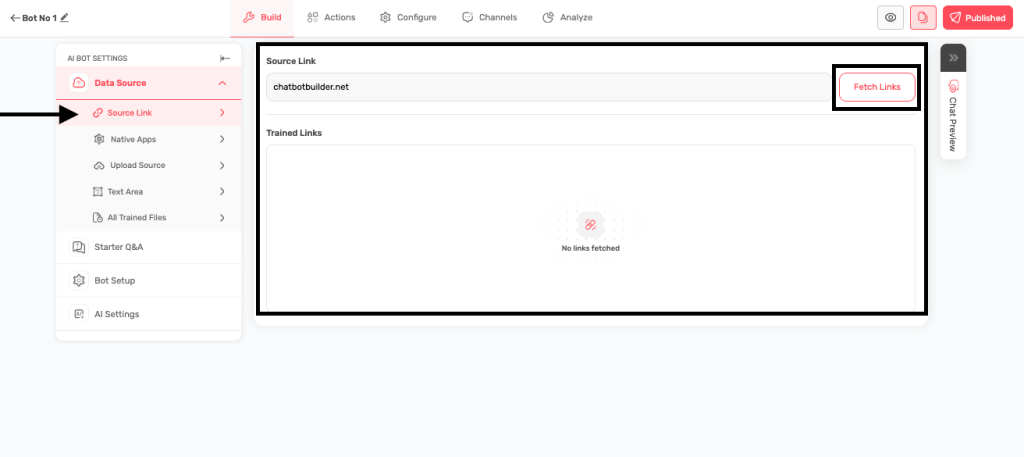
- Navigate to the Build tab, and then under Data Source subtab go to Source Link.
- You’ll see an input field for adding links
B. Add Your Website URL
- Copy the web address, and paste it in the “Add website, youtube, sitemap link here” field. Click on Fetch Links.
- Examples:
C. Fetch the Content
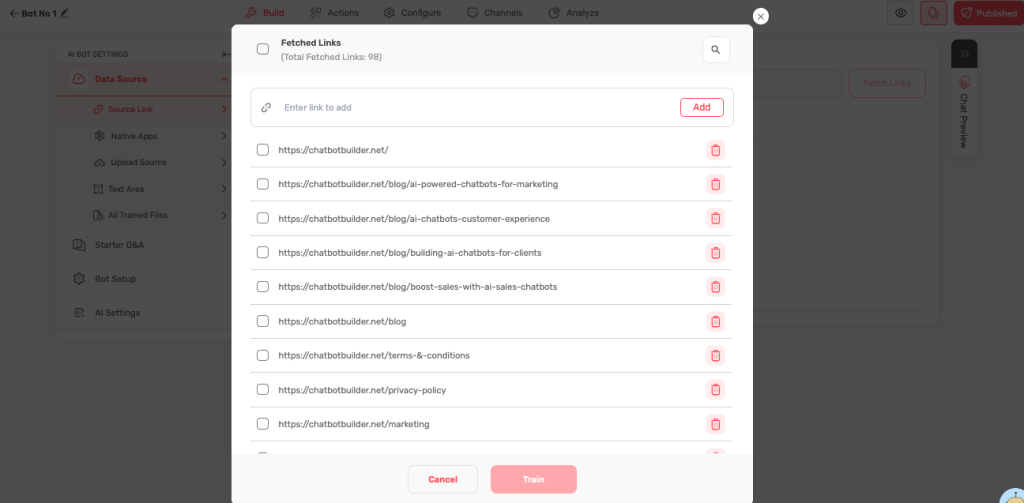
- The system will start scraping the links from the website. You’ll see a progress indicator to show that the links are being fetched.
- Once you see the list of fetched links, you can select the appropriate links and then click on Train.
D. Check the Results
- Once the bot training starts or is completed, you can navigate to the All Trained Files section. Successfully processed links will appear here

- You can click on Manage Links, to go back to Source Links tab where you can manage the links that you used to train your bot. You can click on All Statuses tab to access the links in different statuses.
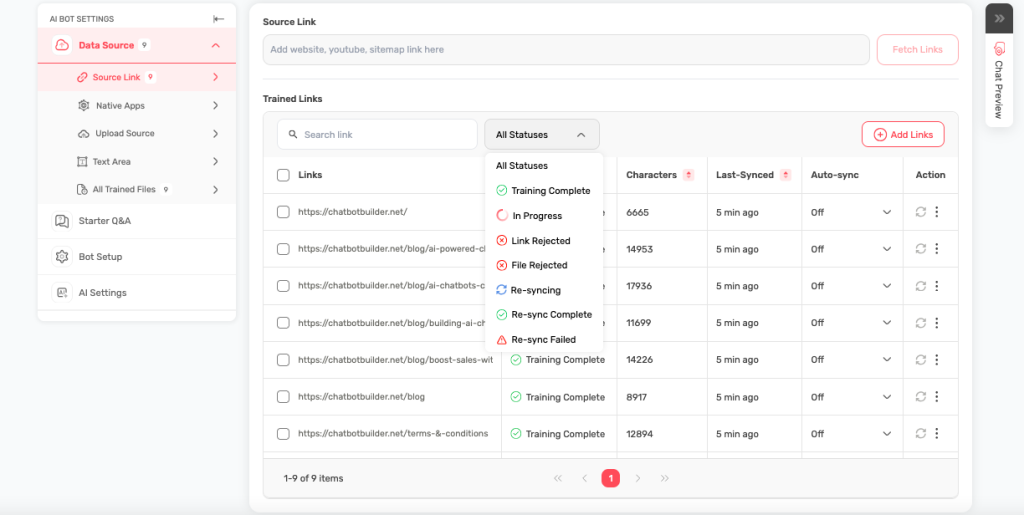
- For the links for which the training has been completed, under Auto Sync, you can configure when the bot should automatically check for updated information on the trained webpages.
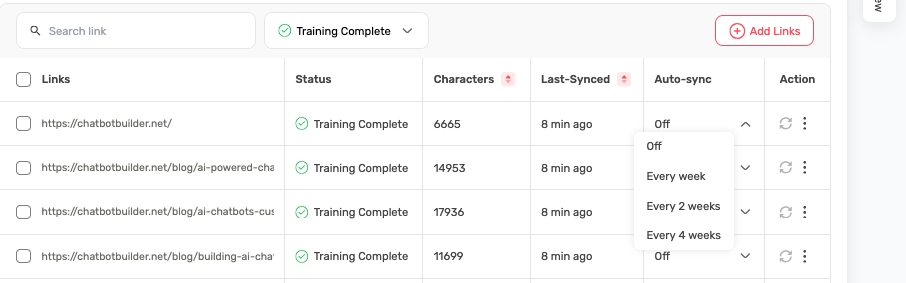
- Also, for the links that were rejected while training the bot, you can try and retrain the bot using the respective link.
What Types of Links Work Best #
- Company websites and help pages
- FAQ pages and documentation
- YouTube videos with captions
- Blog posts and articles
- Product information pages
Troubleshooting #
- Link not working? Make sure the URL is complete and accessible
- No content found? The page might be password-protected or have no text
- Taking too long? Large websites may take several minutes to process
Tips for Success #
- Start with your most important pages (FAQ, product info)
- Add specific pages rather than entire websites
- Update links monthly or when content changes
- Test that URLs open in your browser before adding them